
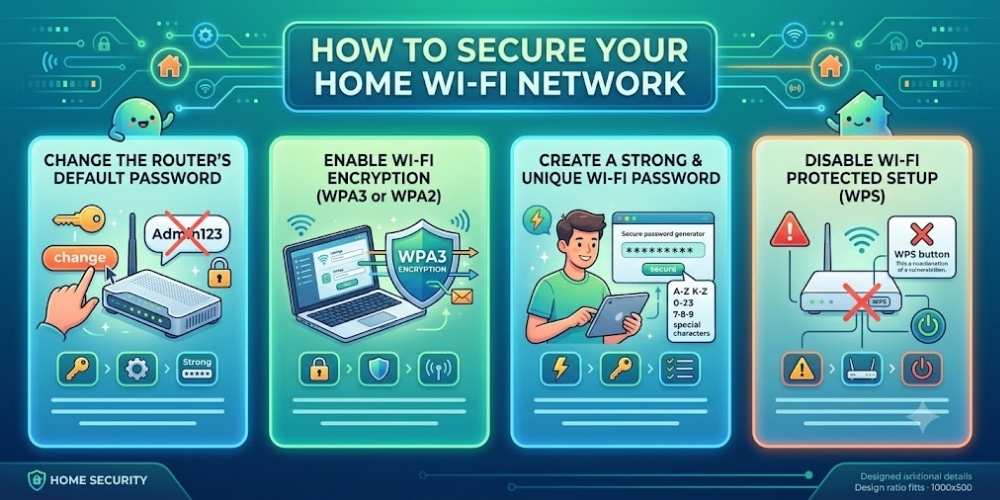
How to Secure Your Home Wi-Fi Network
Quick summary: Your router connects every device in the home, making it one of the most important security controls you own. A poorly configured network can expose computers, phones, cameras, and smart devices.
Your router connects every device in the home, making it one of the most important security controls you own. A poorly configured network can expose computers, phones, cameras, and smart devices.
This guide explains the most important actions in a practical order. Focus on measures that reduce real risk, are easy to maintain, and fit the way your household uses technology.
Change Default Router Credentials
Default administrator usernames and passwords are widely known. Replace them with a unique password that is not reused anywhere else.
Also change the default Wi-Fi network name if it reveals the router model or your identity.
Use WPA2 or WPA3 Encryption
Choose WPA3 when all devices support it. WPA2-AES remains acceptable for many homes, but avoid WEP and legacy WPA.
Use a long Wi-Fi password that is difficult to guess and does not include personal information.
Create Separate Networks
Use a guest network for visitors and a separate network or VLAN for smart-home devices when your router supports it.
Segmentation limits the damage if one low-cost connected device is compromised.
Disable Unneeded Features
Turn off WPS, remote administration, UPnP, or other convenience features when you do not use them.
Every enabled service increases the router’s attack surface.
Review Connected Devices
Check the router dashboard regularly for unknown devices. Remove anything you do not recognize and change the Wi-Fi password if needed.
Rename known devices so future reviews are faster and more accurate.
Key Takeaway
Security improves when simple protections are applied consistently. Keep systems updated, limit unnecessary access, use strong account protection, and review settings whenever devices or household needs change.
Frequently Asked Questions
Is WPA3 better than WPA2?
Yes. WPA3 provides stronger protections, but WPA2-AES is still widely used when older devices do not support WPA3.
Should I hide my Wi-Fi network name?
Hiding the network name offers little real security. Strong encryption and a unique password are much more important.
How often should I change my Wi-Fi password?
Change it when unauthorized access is suspected, after sharing it too broadly, or when someone who knew it should no longer have access.

Vital Morgan is a cybersecurity researcher and technology writer with a passion for digital privacy, smart home security, and online safety. He specializes in creating practical guides on VPNs, password protection, cybersecurity best practices, smart home devices, and emerging security technologies. His mission is to help readers protect their homes, devices, and personal information in an increasingly connected world.