Why Smart Home Updates Matter for Security
Quick summary: Connected devices often remain installed for years. Without security updates, old vulnerabilities can stay exposed long after attackers learn how to exploit them.
Connected devices often remain installed for years. Without security updates, old vulnerabilities can stay exposed long after attackers learn how to exploit them.
This guide explains the most important actions in a practical order. Focus on measures that reduce real risk, are easy to maintain, and fit the way your household uses technology.
Updates Fix Known Weaknesses
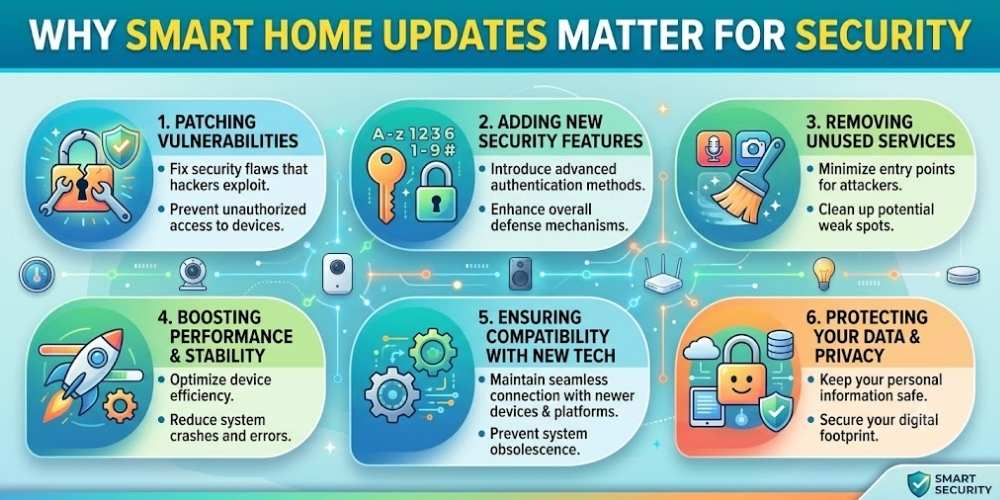
Security researchers and vendors regularly discover flaws in device software, mobile apps, and cloud services.
Firmware updates can close these weaknesses before they are widely abused.
Unsupported Devices Create Long-Term Risk
When a manufacturer ends support, newly discovered vulnerabilities may never be fixed.
Check support periods before buying and replace devices that handle sensitive functions.
Automatic Updates Reduce Delay
Enable automatic updates when the vendor has a trustworthy process.
For devices without automatic updates, create a recurring reminder to check the app or support page.
Updates Can Affect Compatibility
Read release notes and back up configuration details before major updates.
Test critical devices such as locks, alarms, and cameras after installation.
Have a Replacement Plan
Inventory connected devices, purchase dates, support status, and account ownership.
Budget for replacement before security support ends.
Key Takeaway
Security improves when simple protections are applied consistently. Keep systems updated, limit unnecessary access, use strong account protection, and review settings whenever devices or household needs change.
Frequently Asked Questions
How often should I check for smart-device updates?
Enable automatic updates or check monthly when automatic updating is unavailable.
What should I do with an unsupported smart device?
Replace it, disconnect it, or isolate it from sensitive systems depending on its function and risk.
Can firmware updates break a device?
Problems are possible, so read release notes and test important functions after updating.

Vital Morgan is a cybersecurity researcher and technology writer with a passion for digital privacy, smart home security, and online safety. He specializes in creating practical guides on VPNs, password protection, cybersecurity best practices, smart home devices, and emerging security technologies. His mission is to help readers protect their homes, devices, and personal information in an increasingly connected world.