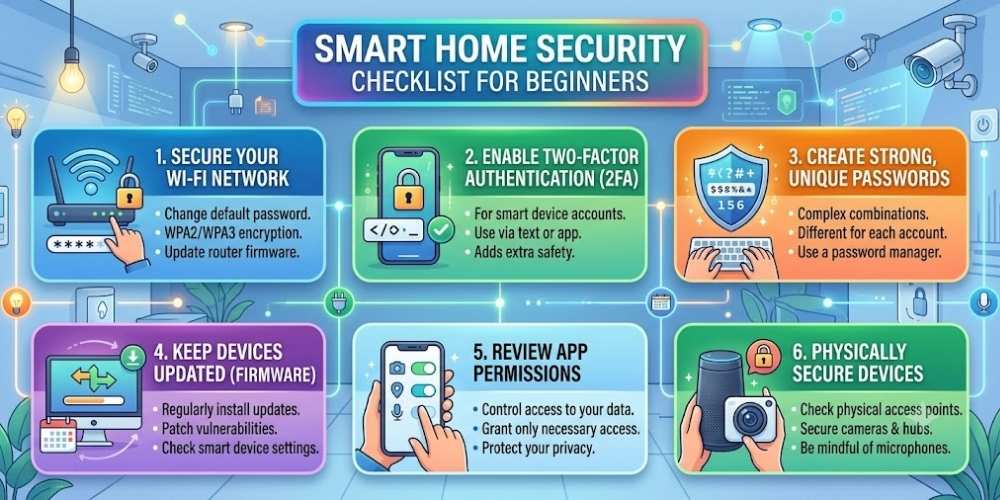
Smart Home Security Checklist for Beginners
Quick summary: Smart-home devices add convenience, but they also introduce new accounts, apps, microphones, cameras, and network connections. A basic security checklist helps reduce avoidable risks.
Smart-home devices add convenience, but they also introduce new accounts, apps, microphones, cameras, and network connections. A basic security checklist helps reduce avoidable risks.
This guide explains the most important actions in a practical order. Focus on measures that reduce real risk, are easy to maintain, and fit the way your household uses technology.
Change Default Passwords
Replace factory passwords during setup. Use a unique password for every device account and enable multi-factor authentication when available.
Do not reuse your Wi-Fi or email password.
Install Firmware Updates
Enable automatic updates or check the manufacturer’s app regularly. Security fixes are often delivered through firmware.
Avoid buying devices from vendors with unclear update policies.
Separate Smart Devices From Main Computers
Use a guest network or dedicated IoT network for cameras, speakers, and appliances.
Network separation limits access to laptops and personal files if a device is compromised.
Review Privacy and Recording Settings
Disable continuous recording, cloud storage, voice history, or personalized features that you do not need.
Know where recordings are stored and who can access them.
Remove Unused Devices
Factory-reset devices before selling or discarding them. Remove them from the associated cloud account as well.
Old devices that remain connected can become forgotten entry points.
Key Takeaway
Security improves when simple protections are applied consistently. Keep systems updated, limit unnecessary access, use strong account protection, and review settings whenever devices or household needs change.
Frequently Asked Questions
Should smart devices use a guest network?
Yes, when possible. A guest or dedicated IoT network helps isolate smart devices from personal computers.
Are smart-home devices safe by default?
Not always. Security depends on the manufacturer, update support, account protection, and configuration.
How often should smart-home passwords be changed?
Change them after suspected exposure, account sharing, or a breach. Unique passwords reduce the need for routine changes.

Vital Morgan is a cybersecurity researcher and technology writer with a passion for digital privacy, smart home security, and online safety. He specializes in creating practical guides on VPNs, password protection, cybersecurity best practices, smart home devices, and emerging security technologies. His mission is to help readers protect their homes, devices, and personal information in an increasingly connected world.